 Number 318 - November 2009 |





|
| Finding Your Problem on the Internet | |
|
by Carl Tenning Tacoma Open Group For Microcomputers | |
|
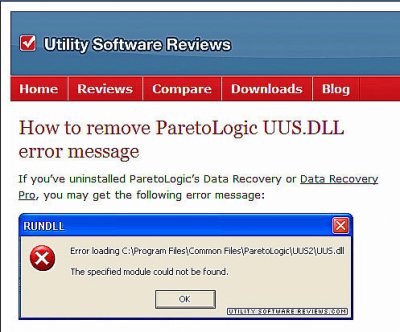
It's pretty neat when you have a computer problem, that someone else has probably had that problem too and you can usually find the solution posted somewhere on the internet. Here's such an experience I just had. One of the common problems is that when you uninstall some application, it may not remove every possible remnant of it. I had installed ParetoLogic Anti-Virus Plus for evaluation and after deciding not to purchase it, proceeded to uninstall it. I used Revo Uninstaller to remove it because it frequently does a better job of removing remnants than the Windows uninstaller. So, everything seemed to be completely removed. However in a day or so I got a pop-up that said "Error loading C:\Program Files\ParetoLogic\UUS2\UUS.dll". I thought, then, that maybe there was something that Revo missed, so I ran my registry cleaner and it did find yet another remnant and deleted it. Still, in another few days the same pop-up appeared again. Finally instead of ignoring the pop-up, I Googled the pop-up message. Sure enough someone else had experienced the same problem. I actually found the solution posted more than once. It turned out that the pop-up was caused by a Scheduled Task. The solution was to go to "Start > All Programs > Accessories > System Tools > Scheduled Tasks." Sure enough there was an item titled "ParetoLogic Registration," scheduled to run every day at 6:00 PM. Simply deleting this item solved the problem. |
|
|
Number 318 - November 2009
|
|