 Number 237 - February 2003 |





|
| Relocate Your PC's Ports | |
| by James White | |
|
I hate climbing underneath my desk to get to the ports on the back of my PC. Is there any way to move these ports to the front? 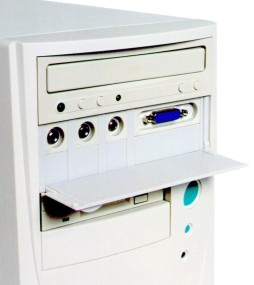
FRONTX (Front X-tension) is a new product invented to relocate and extend computer ports to the front of your PC system. The device is so versatile, you can even configure your own ports selection. 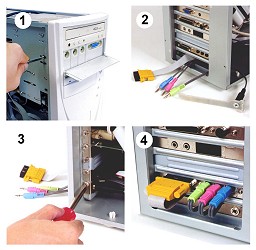
|
Traditionally, PCs had all of their ports and connections in the rear of the system, which worked great when you had to attach only a serial or parallel cable. However, today, PC users must deal with quick connect ports such as USB and FireWire. And, reaching behind the PC every time you need to connect a USB or FireWire device can be a real pain. In response, some PC manufacturers are wiring ports to the front of their newest systems' chassis. If you have an older PC, you can get a multi-media port kit, which installs in a free drive bay. The kits come in several configurations and can include speaker, microphone, game (joystick), USB, and other ports. The wires from these ports pass through the chassis and connect to the equivalent ports on the back of your computer. The kits include a generic mounting bracket and all necessary cabling. 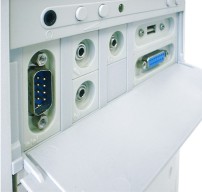
Xtend Computer Ports to the Front..... "you can select the ports you need" Prices starts at US$12.80 (free shipping) (www.frontx.com). Copyright Lake County Area Computer Enthusiasts |
|
Number 237 - February 2003
|
|